
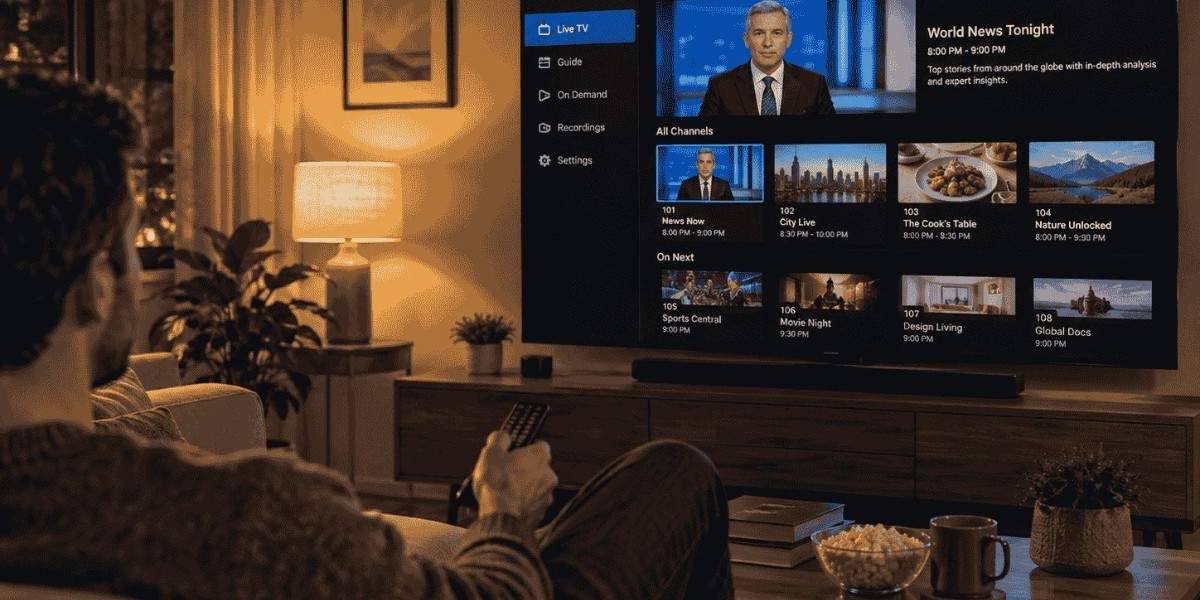

Learn how IPTV playlists and channel lists work, explore M3U formats, understand channel categories, and discover common setup issues.
Introduction
Internet Protocol Television (IPTV) delivers television content through internet connections rather than relying entirely on traditional cable or satellite broadcasting. For beginners, understanding how IPTV playlists and channel lists work is an important first step toward using this technology confidently.
These two elements help viewers access available television content through compatible applications and devices. Although they may appear complicated at first, learning their basic structure makes it easier to navigate channels, identify programme categories, and understand how an IPTV service organizes its content.
What Is an IPTV Playlist?
An IPTV playlist is a file or data source that contains information about television streams. It helps a compatible application identify available channels and retrieve the corresponding stream information when a viewer selects one.
One commonly used format is M3U. This format can contain channel names, stream addresses, and additional details such as categories or logos. IPTV applications read this information and display the available channels in an interface that viewers can browse.
However, a playlist does not necessarily contain the video itself. It generally provides the information an application needs to locate and access a stream. Whether that stream works depends on its availability, compatibility, and the user's access permissions.
Understanding Channel Lists and Their Structure
A channel list is the collection of television channels displayed within an IPTV application. Depending on the playlist and software, channels may appear as a simple alphabetical list or be divided into different categories.
For example, a channel list might include:
News channels
Sports programming
Entertainment channels
Children's television
Documentary content
Regional and international channels
This type of channel organization can make browsing easier because viewers can locate relevant programming without scrolling through one long list. The actual categories depend on the playlist provider and the information included in its data.
Some applications also display channel logos, programme descriptions, and electronic programme guide information. These features can improve navigation, although they are not included in every playlist.
How IPTV Applications Read Playlists
An IPTV application acts as the interface between a playlist and the viewer. After a compatible playlist is added, the application processes its information and creates a browsable channel list.
The exact setup process varies between applications. Some allow users to upload an M3U file, while others accept a playlist address or use a supported account-based login method.
Once the information has been loaded, viewers can select a channel and the application attempts to open its associated stream. If the stream is unavailable, incorrectly configured, or incompatible with the device, playback may fail even when the channel name appears in the list.
It is therefore useful to understand that a visible channel entry does not guarantee that its stream is currently working.
Why Channel Categories Matter
Large IPTV playlists can contain hundreds or even thousands of entries. Without clear categories, finding a particular channel may become time-consuming.
Organized categories make it easier to browse content according to viewing interests. Someone looking for international news, for instance, may prefer a dedicated news category rather than searching through entertainment and sports channels.
Categories can also help distinguish between regional and international programming. However, their names and accuracy depend on how the playlist has been prepared. Some applications allow users to create favourites or hide unwanted groups, providing additional control over the viewing interface.
Common IPTV Playlist Formats and Terms
Beginners may encounter several technical terms when exploring IPTV applications. Understanding the most common ones can prevent confusion.
M3U: A widely used playlist format that contains references to media streams and related information.
M3U8: A text-based playlist format commonly associated with HTTP Live Streaming (HLS). It can identify media segments used during playback.
EPG: An Electronic Programme Guide that provides information about television schedules, programme titles, and broadcast times.
Stream URL: The address an application uses to locate a particular video stream.
Playlist refresh: The process of loading updated playlist information so that changes can appear in the application.
These terms describe different parts of the IPTV experience. A playlist, for example, may provide channel information while an EPG supplies additional programme scheduling details.
Common Problems Beginners May Encounter
IPTV playlists do not always work perfectly. Some common issues include missing channels, outdated stream addresses, duplicate entries, incorrect programme information, and playback interruptions.
When a channel does not open, beginners can start with a few basic checks:
Confirm that the internet connection is stable.
Check whether the playlist has been entered correctly.
Refresh the playlist if updated information is available.
Make sure the IPTV application supports the playlist format.
Check whether the channel or stream is still available through an authorised source.
If several channels stop working at the same time, the issue may involve the playlist source, application, or internet connection rather than an individual channel.
It is also important to use playlists from legitimate providers or broadcasters. An unfamiliar playlist address should not automatically be trusted, especially if it requests unnecessary personal information or access to a device.
Choosing an IPTV Application for Easier Navigation
Different IPTV applications offer different browsing features. Beginners should look for software that supports their device and provides a clear interface.
Useful features may include search tools, favourites, category filters, EPG support, and options for managing multiple playlists. Regular software updates and clear privacy information are also worth considering.
Before choosing an application, users should check its compatibility with their television, streaming device, smartphone, or computer. They should also review the application's permissions and avoid installing software from untrusted sources.
Conclusion
IPTV playlists and channel lists form an important part of internet-based television. A playlist provides the information needed to locate streams, while a channel list presents available programming in a format viewers can browse.
Understanding common formats, categories, and application features makes the technology easier to navigate. Beginners who use reliable sources, maintain updated playlists, and choose compatible applications can approach IPTV with greater confidence and fewer unnecessary technical difficulties.