
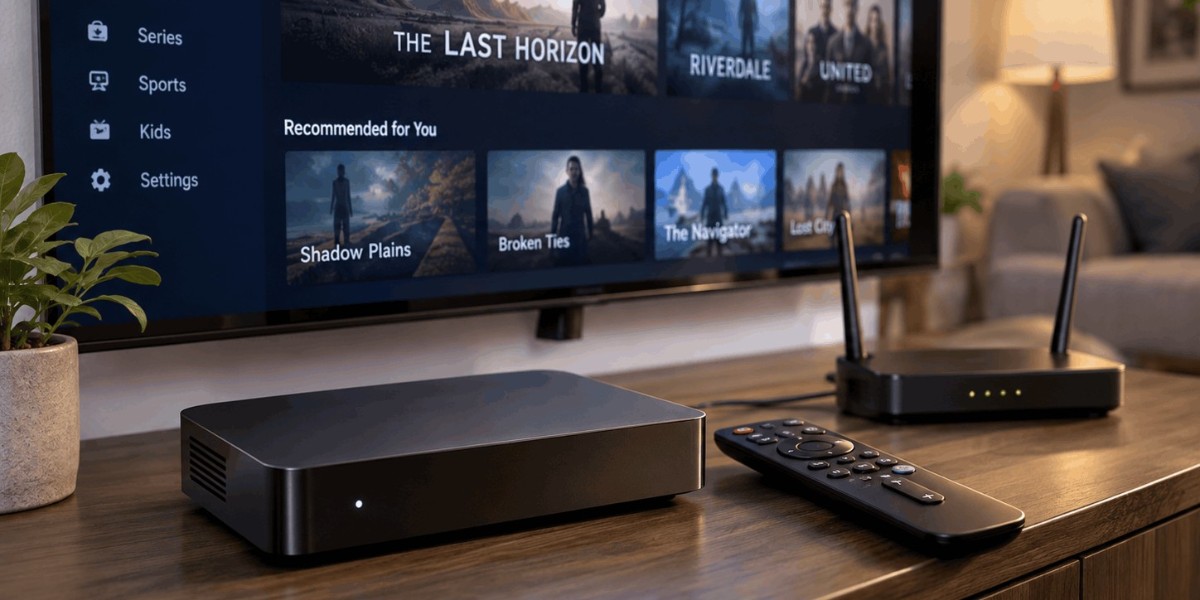

Learn how IPTV playlists work, understand M3U structure and metadata, and discover why organisation, EPG integration, and regular updates matter.
Internet Protocol Television (IPTV) gives viewers access to television content through internet-based delivery rather than relying exclusively on traditional broadcast or satellite signals. One important part of many IPTV systems is the playlist, which organises channel information and provides the details needed by compatible applications to display available content.
Although an IPTV playlist may look like a simple text file or link, its structure can influence how easily viewers browse channels, identify programmes, and organise their entertainment options. Understanding how playlists work helps users recognise common formatting issues and maintain a more convenient viewing experience.
What Is an IPTV Playlist?
An IPTV playlist is a file or collection of entries that tells a compatible media player where to find available streams and how to identify them. It commonly contains channel names, stream addresses, and additional information that helps an application organise content.
One widely used format is M3U, a text-based playlist format that can include information such as channel names, identifiers, logos, and categories. Some playlists also contain references to programme guide information, allowing compatible applications to connect channels with schedules and programme descriptions.
An important distinction is that a playlist generally does not contain the actual video content. Instead, it provides references to streams or media sources. The player uses those references to access the content, provided the relevant service and connection are available.
Playlist formats and supported features can vary between applications and providers. This is why a playlist that works in one IPTV player may not display every detail correctly in another.
Why Playlist Management Matters
A well-organised playlist makes it easier to find channels and understand what content is available. When entries have clear names, useful categories, and consistent information, viewers can browse their options without repeatedly searching through an unstructured list.
Effective playlist management helps keep channel collections organised, reduces confusion caused by duplicate or incorrectly labelled entries, and makes everyday navigation more convenient. This becomes especially important when a playlist contains a large number of channels or covers several categories and regions.
Organisation also helps identify problems. If a channel name is missing, a category is incorrect, or a stream address is outdated, a properly structured playlist makes the affected entry easier to locate. Regularly reviewing the information can help maintain a cleaner and more reliable viewing setup.
Understanding the Structure of an M3U Playlist
M3U is a commonly used format for organising media references. In an IPTV context, an extended M3U playlist may include additional metadata before each stream address. This information helps compatible players recognise and display individual channels.
A typical entry may contain a channel description followed by a stream URL. The description can include attributes such as a channel identifier, display name, logo reference, or group category. The player interprets the available information and uses it to build the channel list.
For example, a playlist might organise several entries under categories such as news, sports, entertainment, and documentaries. This allows users to browse related channels together rather than viewing every entry in one long list.
Formatting matters because media players rely on the playlist's structure to interpret its contents. Missing information, incorrect separators, or improperly formatted entries can cause channels to appear without names or fail to load as expected.
The Role of Channel Categories and Metadata
Metadata provides additional information about each playlist entry. Rather than displaying only a stream address, a player can use metadata to present a more understandable channel name, category, and other available details.
Group information is particularly useful when a playlist includes many channels. A player may use category labels to create separate sections, allowing viewers to move directly to the type of content they want. Consistent naming also prevents similar channels from appearing as unrelated entries.
Channel identifiers can serve another purpose. When a playlist includes an identifier that matches an entry in an electronic programme guide, the application may be able to associate the channel with relevant schedule information.
Not every IPTV application supports every metadata field. Some may display channel logos and group names, while others may show only basic programme information. Users should check the application's supported playlist features when choosing a player.
How IPTV Playlists Connect With Electronic Programme Guides
An Electronic Programme Guide (EPG) provides information about television schedules, including programme titles, broadcast times, and descriptions. IPTV applications can use guide information to help viewers understand what is currently showing and what is coming next.
Playlists and EPG data serve different purposes. The playlist identifies available streams and provides information about channels, while the programme guide supplies scheduling details. Compatible applications can combine the two to create a more informative viewing interface.
For this connection to work correctly, channel identifiers in the playlist may need to match corresponding identifiers in the guide data. When the information does not match, the application might display schedules for the wrong channel or show no programme details at all.
Accurate identifiers and consistent channel information therefore help create a more useful guide. Providers and users should follow the format supported by their chosen application rather than assuming all playlist and EPG combinations will work automatically.
Common IPTV Playlist Problems
Playlist problems can appear in different ways. Some channels may not load, channel names may be missing, categories may appear incorrectly, or programme information may fail to display.
An outdated stream address is one possible cause. A provider may update its stream locations or remove an unavailable channel, making an older playlist entry unusable. Incorrect formatting and unsupported metadata can also cause display problems.
Compatibility is another consideration. Different IPTV applications may interpret playlist information differently, so a file that displays correctly in one player may not look the same in another. Checking the application documentation can help identify which formats and attributes it supports.
When troubleshooting, start by confirming that the playlist comes from a legitimate source and that its access details are valid. Then check whether the issue affects one channel or the entire playlist. Testing a supported entry in another compatible player may also help establish whether the problem comes from the playlist or the application.
Why Regular Playlist Updates Are Important
IPTV channel collections can change over time. Channels may be renamed, removed, replaced, or reorganised, while stream addresses and guide information may also be updated by the provider.
Using an outdated playlist can result in broken entries, incorrect channel information, or missing programme schedules. Keeping the playlist current helps ensure that the application has the latest information supplied by the service.
Some applications allow users to refresh a playlist manually, while others support automatic updates at set intervals. The available options depend on the player and the provider's configuration.
It is also useful to remove duplicate entries when supported and keep categories consistent. However, users should avoid making unnecessary changes to provider-managed files if doing so could affect access or prevent future updates.
Choosing an IPTV Player That Handles Playlists Well
The quality of the viewing experience depends partly on how effectively an IPTV application interprets and presents playlist information. A suitable player should support the playlist format being used and provide clear channel navigation.
Features worth considering include category organisation, search functions, favourites, EPG integration, and straightforward update controls. These features can make a large channel collection easier to browse without requiring users to understand every technical detail.
Device compatibility matters too. A player designed for a television may offer a different interface from an application intended for a phone or computer. Before choosing an application, check that it supports your device and the relevant playlist features.
Ease of use should remain a priority. A technically capable player is less helpful when basic tasks such as finding a channel, updating a playlist, or checking a programme schedule are unnecessarily complicated.
Final Thoughts
IPTV playlists provide an organised way for compatible applications to identify available channels and access their streams. Their structure can include channel names, categories, identifiers, and references that connect content with programme guide information.
When these details are accurate and consistently organised, viewers can browse channels more easily and applications can present information more effectively. Outdated links, incorrect metadata, and formatting problems can create the opposite experience, making regular maintenance and compatibility checks important.
Understanding the basics of playlist structure helps users make better decisions about their IPTV applications and viewing arrangements. A clear, well-maintained playlist can make digital television easier to navigate while supporting a more organised entertainment experience.