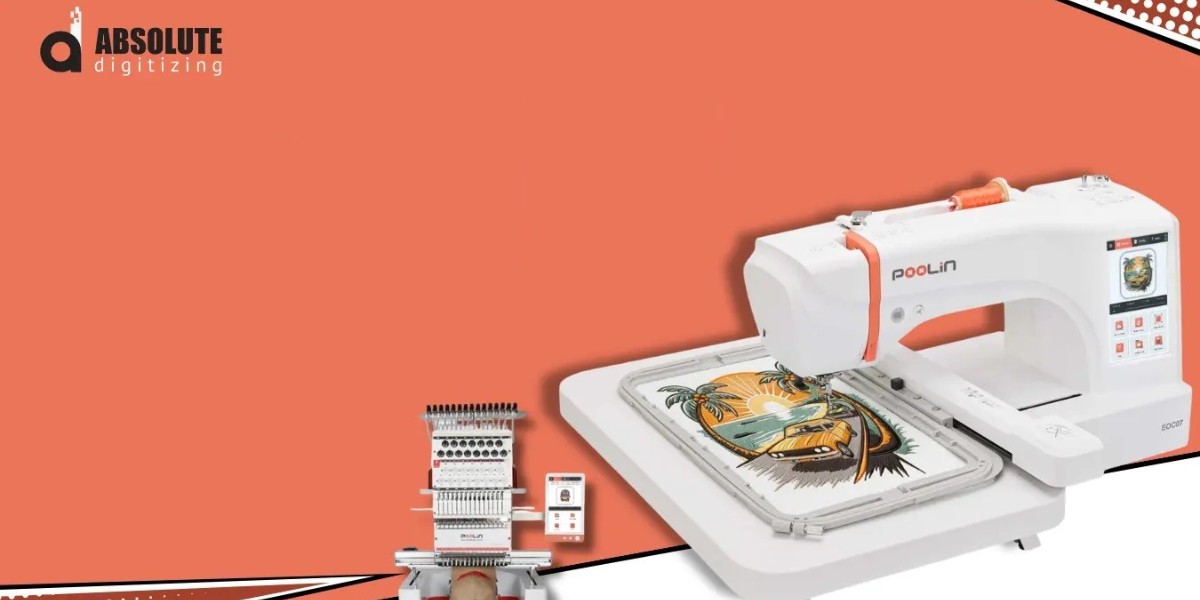

Explore this Poolin embroidery machine analysis to understand key features, design compatibility, ease of use, and tips for better results with custom embroidery.
Choosing an embroidery machine can feel confusing, especially when you want clean designs without wasting fabric, thread, or time. Whether you are a beginner, a hobbyist, or a small business owner, the right machine can make a big difference in your daily work.
This Poolin embroidery machine analysis explores the main points to consider before buying a machine from this brand. We will look at design compatibility, ease of use, embroidery quality, common limitations, and practical tips for getting better results.
A machine is only one part of the process, though. Your design file, thread tension, stabilizer, fabric, and stitch settings all affect the final result. Understanding these factors can help you make a smarter buying decision and avoid common embroidery problems.
What Is a Poolin Embroidery Machine?
Poolin embroidery machines are designed for people who want to create embroidered designs on fabric for personal projects, gifts, clothing, and small-scale business work. Depending on the model, features and operating methods may differ.
Some machines may focus on computerized embroidery, while others may offer different levels of automation or design control. Before choosing a specific model, check its official specifications, included accessories, embroidery area, supported file formats, and software requirements.
It is also important to understand that embroidery machines do not automatically turn every image into a stitch-ready design. A photograph, logo, or digital illustration usually needs to be converted into embroidery instructions before the machine can stitch it correctly.
Key Features to Consider in This Poolin Embroidery Machine Analysis
Not every embroidery machine offers the same features. Use the following points to compare your preferred Poolin model with your actual needs.
1. Embroidery Area and Hoop Size
The embroidery area determines the maximum space available for stitching a design in one setup. A smaller area may work well for shirt pockets, small logos, names, and simple decorative patterns.
Larger designs may require a bigger hoop or a process called rehooping, depending on the machine and design layout.
Before purchasing, ask yourself:
Will you embroider small logos or large back designs?
Do you plan to decorate hats, bags, towels, or jackets?
Does the available hoop size match your most common projects?
Are additional hoops included or sold separately?
Choosing a suitable embroidery area can save time and reduce the need to split designs into multiple sections.
2. Supported Embroidery File Formats
File compatibility is one of the most important factors when choosing a computerized embroidery machine. Different machines support different formats, and compatibility should always be checked against the exact model's manual.
Before transferring a design, confirm whether the machine supports your required file type. Also check any limits involving file size, stitch count, thread colors, and USB or wireless transfer.
Remember that changing a file extension does not convert a design into a different embroidery format. A proper conversion must preserve the stitch information and instructions needed by the target machine.
3. Ease of Use and Controls
Beginners often benefit from clear menus, straightforward threading instructions, simple design positioning, and easy access to essential settings.
Useful features to investigate include:
On-screen design previews
Stitch progress indicators
Thread break or other error alerts
Automatic needle threading, if available
Simple design transfer options
Clear instructions for maintenance and troubleshooting
The best choice depends on how comfortable you are with technology and how much control you want over your projects.
4. Embroidery Speed and Performance
A machine's maximum stitching speed can affect how long a project takes, but speed alone does not determine quality.
Small lettering, fine outlines, and detailed logos may require slower stitching to achieve clean results. Thick fabric, delicate materials, and dense designs can also affect performance.
When comparing machines, look for reliable stitching, consistent thread tension, and smooth operation rather than choosing solely by the highest advertised speed.
Is a Poolin Embroidery Machine Suitable for Beginners?
A Poolin machine may suit a beginner if the particular model offers clear instructions, accessible controls, and a workflow that matches the user's needs. However, the learning experience depends on the model, included software, support resources, and the type of projects you want to complete.
For a smoother start, follow these steps:
Read the manual before threading the machine.
Practice with simple designs and inexpensive fabric.
Use the correct stabilizer for your fabric.
Check needle size, thread quality, and tension.
Test the design before stitching on a finished garment.
Review the result and adjust settings when necessary.
Start with simple lettering or basic shapes instead of a complex, highly detailed logo. Small practice projects help you understand how the machine handles different stitch types and fabric conditions.
Pros and Limitations to Consider
A fair buying decision requires looking at both the potential benefits and the limitations of a machine.
Potential Benefits
Depending on the model and package, a Poolin embroidery machine may offer benefits such as:
An accessible entry point into machine embroidery
Opportunities to personalize clothing, gifts, and home textiles
Computerized design features on supported models
The ability to create products for a small embroidery business
A chance to develop embroidery skills without immediately investing in a larger commercial setup
These advantages should be assessed against the exact machine specifications and your planned workload.
Possible Limitations
Before buying, consider these potential challenges:
A limited embroidery area may restrict larger projects.
Some designs may require conversion or editing before use.
Dense stitching can cause puckering or thread breaks if settings are unsuitable.
Additional hoops, accessories, or software may increase the total cost.
Support, warranty coverage, and replacement parts may vary by seller and location.
Do not assume that every limitation applies to every Poolin model. Verify the details for the exact machine you are considering.
How to Get Better Results With a Poolin Embroidery Machine
Even a capable machine can produce poor results when the design or setup is incorrect. Good preparation helps improve stitch quality and reduces wasted materials.
Choose the Right Embroidery Design
Start with artwork that suits the size of your project. A simple logo with clear shapes is often easier to stitch than an image containing tiny details, gradients, or many overlapping elements.
For the best results, check that:
Lettering is large enough to remain readable.
Narrow gaps are suitable for the fabric and stitch type.
Stitch density is appropriate for the material.
Thread colors are planned before stitching.
The design fits inside the selected hoop.
A design that looks sharp on a computer screen may not look the same when stitched onto fabric. Embroidery requires planning for thread, needle movement, fabric stretch, and stitch direction.
Use the Correct Stabilizer
Stabilizer supports the fabric during embroidery and helps reduce shifting, stretching, and puckering.
The correct type depends on the material. Stable woven fabrics may work well with a suitable cut-away or tear-away stabilizer, while stretchy garments often need stronger support. Towels and textured materials may also benefit from a water-soluble topping.
Always test the stabilizer combination on a similar piece of fabric before starting an important project.
Check Thread Tension and Needle Condition
Incorrect tension can create loose stitches, visible bobbin thread, loops, or thread breaks. A bent, blunt, or unsuitable needle can also damage fabric and interrupt stitching.
Before beginning a project, check the threading path, bobbin placement, needle condition, and recommended settings. Make small adjustments and test them rather than changing several settings at once.
Run a Test Stitch
A test stitch is especially useful for logos, small text, and designs with dense areas. It allows you to identify problems before they affect an expensive garment.
Inspect the sample for:
Gaps between shapes
Uneven outlines
Fabric puckering
Poor lettering clarity
Thread breaks or loose stitches
Incorrect color placement
Fixing these issues before production can save both time and money.
Why Design Digitizing Matters
One of the biggest lessons from this Poolin embroidery machine analysis is that machine performance and design quality work together.
Embroidery digitizing converts artwork into instructions that tell a machine where to place stitches, which stitch types to use, and how the design should progress. It also involves decisions about stitch direction, density, underlay, pull compensation, and color changes.
A poorly digitized design may cause excessive thread breaks, uneven outlines, stiff embroidery, or unreadable small text. A well-prepared file is more likely to stitch cleanly when it is matched to the correct fabric and machine settings.
For businesses producing logos on uniforms, caps, workwear, or promotional items, professional digitizing can help improve consistency across repeated orders.
When Should You Consider Professional Digitizing?
Professional assistance may be useful when you need:
Company logos with fine details
Small lettering that must remain readable
Designs for caps or thick materials
Clean outlines and balanced stitch coverage
Files prepared for a specific machine and fabric
Consistent results across multiple garments
Absolute Digitizing can be considered when you need custom embroidery digitizing or artwork preparation for your project. Before ordering, share your machine model, intended fabric, design dimensions, and required file format so the work can be prepared for your needs.
Poolin Embroidery Machine Analysis for Small Businesses
If you plan to sell embroidered products, the right machine should match your expected workload rather than just your starting budget.
Think about the products you intend to make, the number of orders you expect, the size of your designs, and the time needed for setup and finishing.
A practical business checklist includes:
Production needs: Estimate how many items you need to complete each day.
Design requirements: Identify the logos, lettering, and artwork your customers request most often.
Material range: Consider whether you will stitch on cotton, fleece, denim, towels, or other fabrics.
Running costs: Include thread, needles, stabilizers, blanks, accessories, and maintenance.
Customer expectations: Allow time for testing, quality checks, and occasional rework.
Future growth: Check whether the machine can handle your likely workload as demand increases.
A home embroidery machine may be a useful starting point for personalized gifts and smaller orders. However, a business with high daily output may need a different setup. Compare the machine's actual capabilities with your expected production demands before investing.
How to Choose the Right Poolin Model
Avoid making a decision based only on advertising claims or the lowest listed price. Instead, compare the exact specifications of the models available to you.
Use this checklist before purchasing:
Confirm the maximum embroidery area.
Check supported file formats and design transfer methods.
Review the included hoops and accessories.
Confirm the warranty and local service arrangements.
Check whether the required software is included.
Look for clear setup instructions and troubleshooting guidance.
Calculate the total cost, including essential accessories.
Confirm that the machine suits your intended fabric and workload.
If possible, watch a demonstration of the exact model stitching a design similar to the work you plan to produce. This can reveal practical details that a specification sheet may not explain.
Final Verdict: Is a Poolin Embroidery Machine Worth Considering?
This Poolin embroidery machine analysis shows why a careful comparison matters before purchasing an embroidery machine. The right choice depends on the model's embroidery area, file compatibility, ease of use, stitching performance, available support, and overall cost.
For beginners, simple controls and a manageable learning process may be the most important factors. For small businesses, production capacity, consistent results, and operating costs deserve more attention.
Most importantly, remember that a good machine is only part of successful embroidery. Proper digitizing, suitable stabilizers, correct tension, and test stitching all contribute to a cleaner finish.
Check the specifications of your preferred Poolin model and match them to your real projects. With the right setup and a well-prepared design, you can make more informed decisions and work toward reliable embroidery results.
Frequently Asked Questions (FAQs)
1. Is a Poolin embroidery machine good for beginners?
A Poolin embroidery machine may be suitable for beginners, depending on the model and its features. Look for clear instructions, easy-to-use controls, compatible design files, and accessible customer support. Start with simple designs to build your skills.
2. What embroidery file formats does a Poolin machine support?
Supported formats depend on the specific model. Check the manufacturer's manual before purchasing or transferring a design. Make sure your file contains valid embroidery stitch data and is compatible with the machine's software and transfer method.
3. Can I use my own logo with a Poolin embroidery machine?
Yes, provided your logo is converted into a compatible embroidery design. Artwork usually needs digitizing so the machine can follow the correct stitch paths, densities, and color sequence. Testing the design on similar fabric helps identify problems before production.
4. Why does my embroidery look uneven?
Uneven embroidery can result from incorrect thread tension, unsuitable stabilizer, a damaged needle, poor hooping, or an improperly digitized design. Check each factor separately and run a test stitch before adjusting multiple settings.
5. Do I need professional digitizing for Poolin embroidery?
Professional digitizing is worth considering for detailed logos, small lettering, cap designs, and commercial orders. A properly prepared file can improve stitch coverage and reduce common embroidery problems. Absolute Digitizing is an option to explore for custom digitizing and artwork preparation based on your machine and project requirements.